 Rompling
Cover the gaps
The sitter ask, handled.
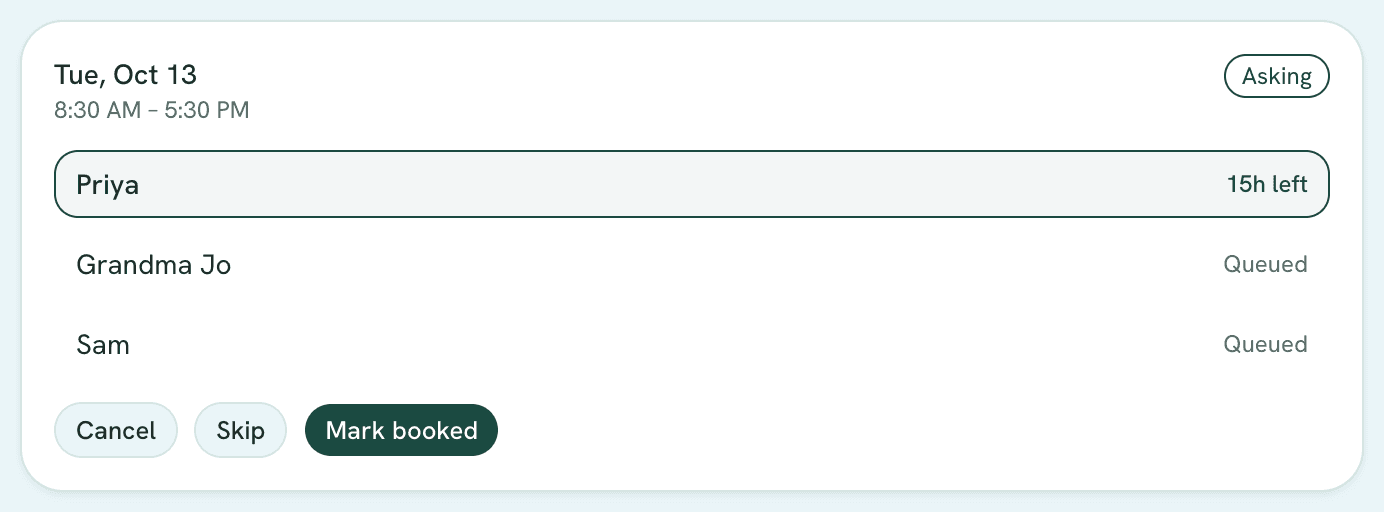
Rank your people once. When a day needs covering, Rompling asks your first choice, then the next if they can’t — and the first yes books it.
How it works
Rank your people
Grandparents, sitters, neighbors — in the order you’d call them.
Start from any gap
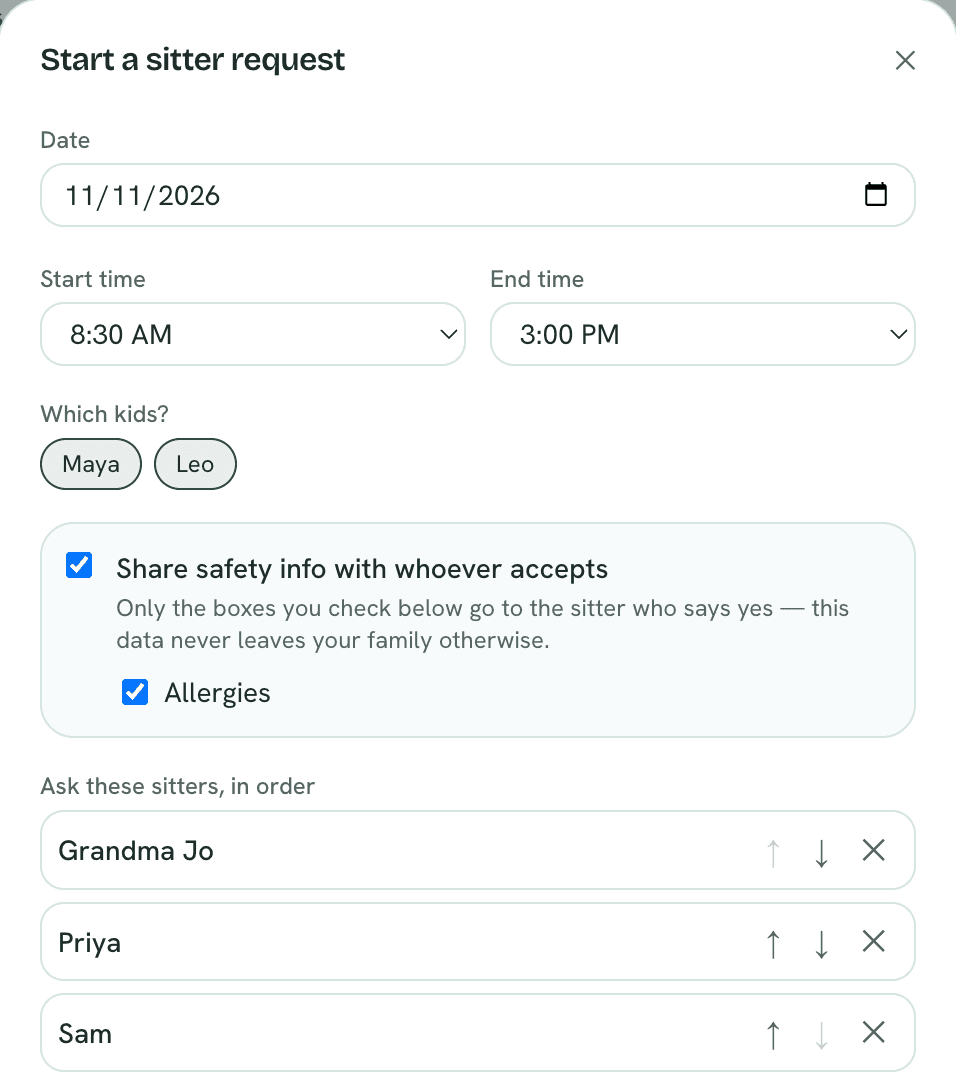
Pick the day. Choose what safety info goes to whoever says yes.
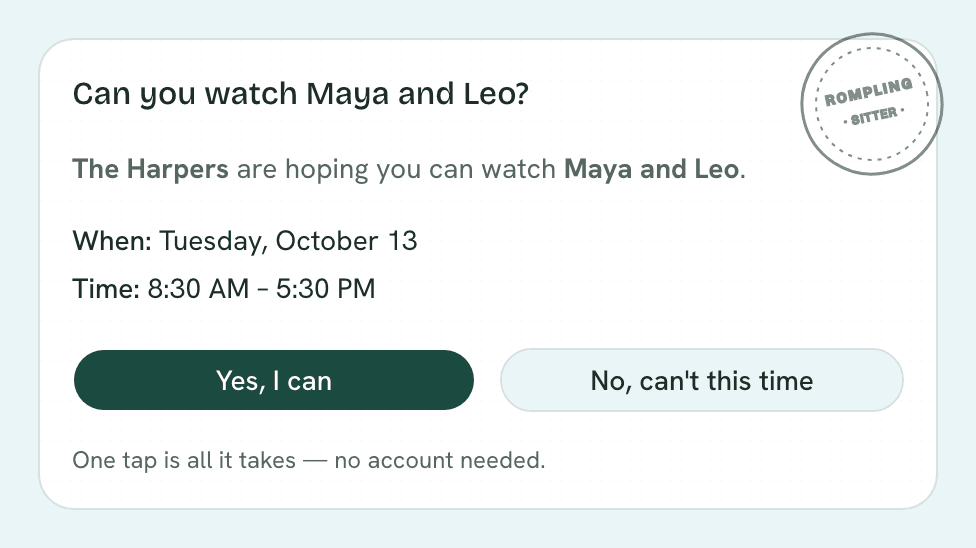
They answer in one tap
By email — texts coming soon. No app, no account, no awkward group chat.
Little things parents love
Their time, respected
Each person gets a window to answer before it moves on — 24 hours by default.
Allergies go to the right person
Only what you tick, only to the sitter who says yes.
You can step in
Skip ahead, cancel, or mark it booked yourself.
Texts, coming soon
Requests go out by email today; text messages are on the way.
Who it’s for
- Working parents
- Grandparents
- Shift workers
Questions
Does my sitter need the app?
No. They get an email with Yes and No buttons. That’s it.
What happens if nobody says yes?
You’re told when the list runs out, so you can make a call or widen the net.
Related
- Cover the gaps
Coverage plan
Finds the hours your kids need care and nobody’s assigned, weeks ahead. - Plan with your village
Find a time
Checks every family’s kids’ schedules, suggests times, and runs the poll. - Know your days
School calendars
Imports school and district calendars — breaks, no-school days, early releases.
Ready for a saner year?Free during early access — set up in minutes.
Get started free